instructions
parser reads an AAF sequence file exported from your NLE.
what parser does
VFX SHOT CODE IDs are read from SubCap effects matching the
pattern XXX_000_000 if they are present in the sequence.
The duration of the SubCap is interpreted as the VFX shot duration.
If you have nested the SubCap with an additional SubCap which features a comment, that comment will be extracted. This is useful if you want to burn the work order to picture, and then extract and use it as your shot comment.

You can also nest within your SubCap layer and place a Timecode Burn-in "frame counter" — set to frames, and start counting from a specific frame number. This gives you a frame counter burned into picture that can also be extracted by parser and used as your cut in frame.
For example: if you want 8-frame handles you could set start counting from
1009, making the first frame in cut as frame 1009, with head handles
running from 1001–1008.
extracted datasets
parser extracts two datasets:
- 1× VFX shots list
- 1× VFX scans list
It resolves the full mob chain of the AAF — from the sequence cut — extracting source timecode, tape, duration, and additional metadata for each shot.
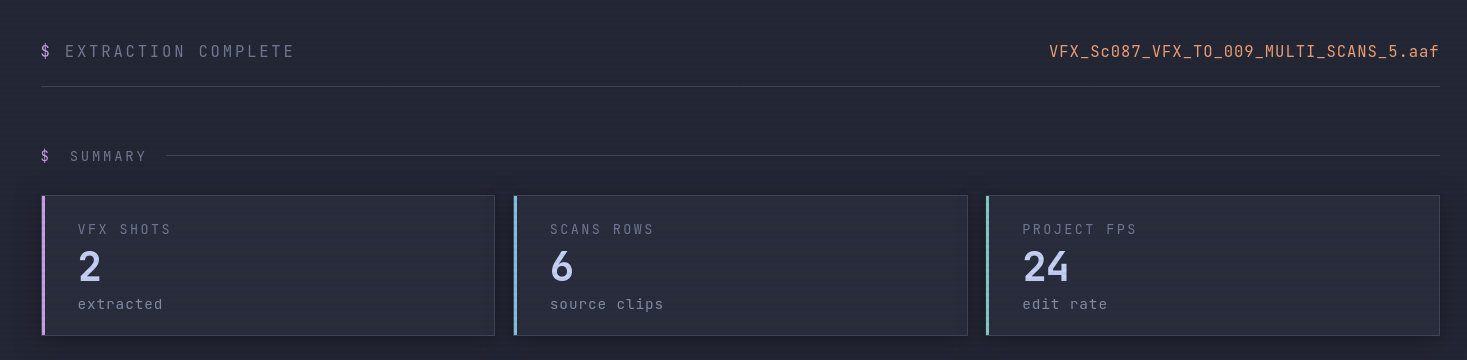

parser collects all video layers found under an existing SubCap, and creates a scan entry for each subsequent video layer it finds, adding handles as requested.

handle padding
User can configure handle padding for scans during AAF import. Handle frames are added to both the head and tail of each scan timecode.

detected effects
Effects on each shot — speed ramps, scale, position, and stabilise — are identified and summarised in the shot list.
When effect keyframes are present, they are mapped to frames. By default these will be sequence absolute frames.
TIME WARP 100.0% @ frame 1009 → 50.0% @ frame 1100.
STAB.
Matched positionally so only the specific shot carrying the effect is tagged.
start frames
User can adjust start frames for shots after import. This would be the cut in frame.
For example: if you requested scans to have 8-frame handles, your cut in frame would be
the 9th frame of the scan — e.g. 1009, if the starting frame of the scan
was 1001.
when no shot codes are present
When no VFX SHOT CODE SubCap effects are present, parser will prompt the user to label the sequence with shot codes.
The user can choose to label every shot in the sequence, or only shots where a marker is found.
VFX ID, starting number, and shot code increment can all be selected.


Parser will summarise VFX shots but won't extract effect data in this mode.
parser generates a subcap list and a marker list containing the shot codes, which can then be imported into your NLE.
export

| FILE | FORMAT | USE |
|---|---|---|
_EDL.edl |
CMX 3600 | Import into your NLE to relink to camera tapes. Reel names are the full tape names. Record TC starts at 01:00:00:00. |
_SHOTS.tsv |
Tab-separated | Full VFX shot list. Paste directly into a spreadsheet or pipe into a shot-management system. |
_SCANS.tsv |
Tab-separated | Camera scan records with handles. One row per source clip. |
_MARKERS.txt |
NLE marker import | re-importable One marker per VFX shot, placed at shot centre. Import into your NLE via Import → Markers. |
_SUBCAPS.txt |
NLE SubCap import | re-importable Tab-separated SubCap data. Import into your NLE as a titles sequence to burn shot codes back onto picture. TC column matches your sequence timeline. |
_JSON.json |
JSON | Full extraction report. Contains all mob data, effect keyframes, and a scans_debug trace if scans were empty. |
sequence preparation
Before exporting, simplify the sequence to give parser the cleanest possible structure:
- Reduce to as few video tracks as possible — ideally a single V1
- Commit all multicam edits — no group clips
- Remove all audio tracks
- Remove unused video layers and reference clips
- Remove match frame edits
- Sequences with multiple video layers will produce multiple scan entries per shot — only include parallel layers if they represent genuine alternate plates for the same shot
aaf export settings
Use these exact export settings from your NLE:
Use Marks and Use Selected Tracks let you export a sub-range or isolated tracks. If exporting the full sequence, ensure no marks are set and all video tracks are selected.
custom metadata columns
The SCANS table can display custom UserComments fields embedded in
the AAF clip metadata. Click ⊕ metadata columns above the scans table to toggle
any discovered fields on or off. These columns are also included in the _SCANS.tsv
export when enabled.
Common custom fields include production-specific clip notes, scene/take annotations, and camera report data embedded at ingest.
troubleshooting
- No scans found — download the
_JSON.jsonand inspect thescans_debugkey for a full mob-chain trace - Wrong start frames — SubCap TC burn-in parameter may not have been set; use edit start frames to correct manually
- Duplicate scans for one shot — confirm the sequence has no parallel video layers at that cut; simplify before re-exporting
- Effects not detected — ensure the AAF was exported with AAF Edit Protocol checked; some effect types require this to embed plugin data
- VFX shot codes must match the pattern exactly: 2–6 uppercase letters, underscore, 3 digits, underscore, 3 digits (e.g.
ABC_010_010)